Your clipboard history: text, rich text, pictures and files, kept on your Mac for as long as you choose.
Find in plain words: images from Safari yesterday, the last 5 links, links without github. Start with = to search for exactly what you type, or with ? to ask Apple Intelligence, on your Mac.
The keys: ⌥⌘V opens it from anywhere, ↩ puts a clip on your clipboard, ⌘V pastes it, or turn on Paste directly and ↩ pastes for you. ⌥↩ gives you plain text; ⌘↩ plain text with personal details masked.
Pins for what you paste every day.
Private by design: passwords are never saved, card numbers and personal details are masked, and the apps you choose are ignored.
No account. Nothing to allow to get started. Paste directly is optional. No analytics.
Pro
For power users, developers and creators.
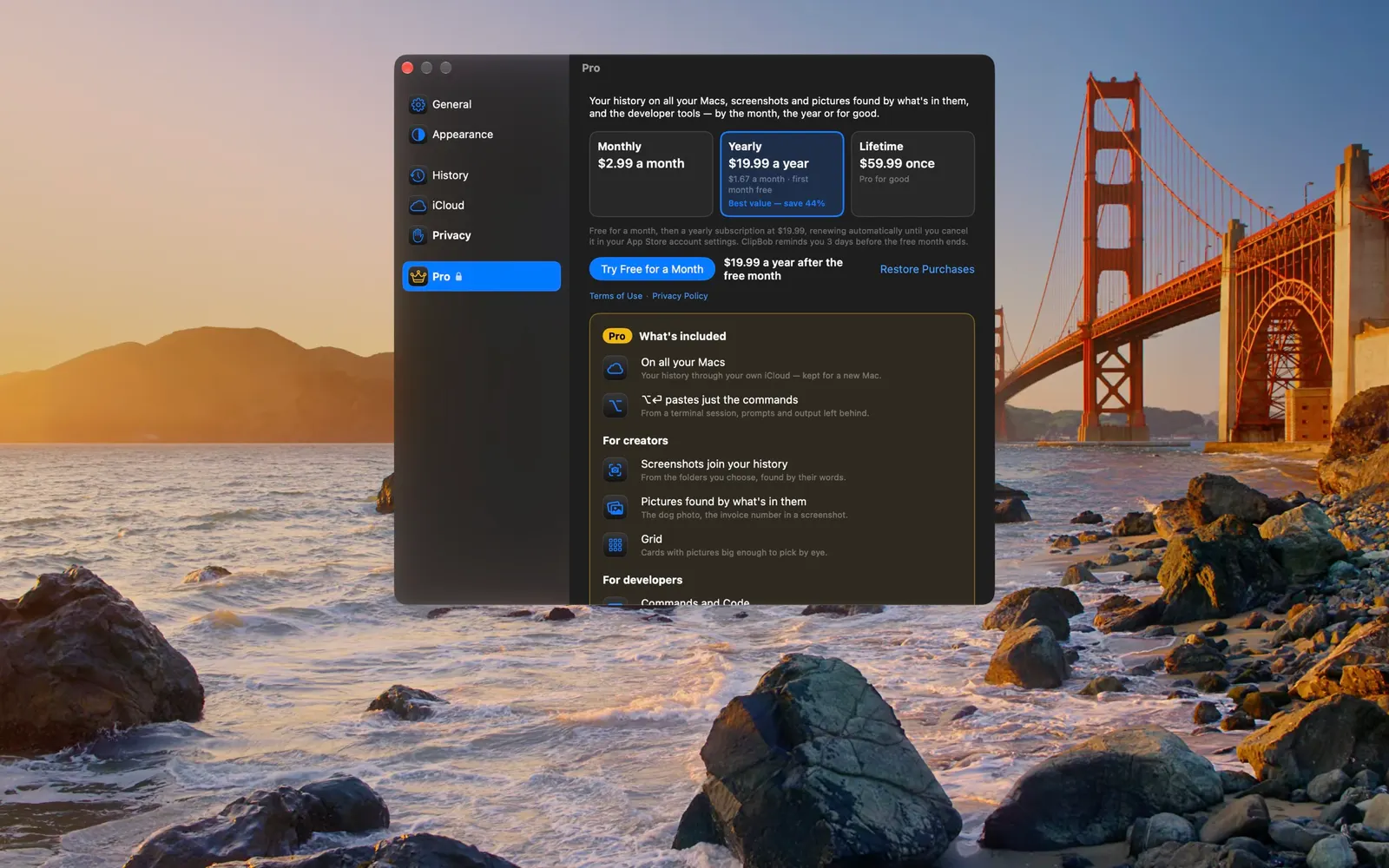
Best value: save 44%
$2.99a month
$19.99a year$1.67 a month · first month freeBest value: save 44%.
$59.99paid once
Everything in Standard, plus:
On all your Macs: your history syncs through your own iCloud's private database, and every clip says which Mac it came from. It's kept in iCloud too, so a new or reinstalled Mac gets it back.
⌥↩ pastes just the commands from a terminal session, prompts and output left behind, and a picture as TIFF, files as their paths.
For creators: screenshots join your history from the folders you choose, found by the words inside them; pictures found by what's in them (the dog photo, the screenshot with the invoice number); and Grid, your history as cards, pictures big enough to pick by eye, at every panel size.
For developers: Commands and Code, syntax highlighting in 50+ languages, keys and tokens masked everywhere with Touch ID before one pastes, and your own patterns; Minimal, the search bar alone until you type, for when you're screen sharing, presenting and collaborating with your team; and the scopes in your own order (Commands and Code first, if you like) with the scope it opens in.
ClipBob Pro: monthly, yearly with the first month free, or once.
The fine print
Prices are in US dollars. The App Store sets the price in your country, and it may include tax.
Pro is billed by Apple to your Apple Account. Monthly and yearly renew automatically until you cancel, any time, in your App Store account settings, at least 24 hours before the period ends.
The free month comes with the yearly plan, once. It becomes $19.99 a year unless you cancel before it ends.
Lifetime is paid once and never renews.
Pro works on every Mac signed in to your Apple Account.
If Pro ends, ClipBob goes back to Standard. Nothing is deleted: every clip stays on the Mac that holds it, your iCloud copy stays as it was, and sync picks up from there if you come back.
Family Sharing isn't available.
ClipBob needs macOS 26 (Tahoe) or later. Apple Intelligence features need a Mac where it's available and turned on. A Mac managed by your company may limit the App Store or iCloud.